Invoices and receipts
Every charge Covent applies to your payment method - subscription renewals, wallet top-ups, A2P registration fees, per-number fees, anything else - generates an invoice you can download.
Where to find them
Go to Settings > Billing. The invoice history shows every charge, newest first, with:
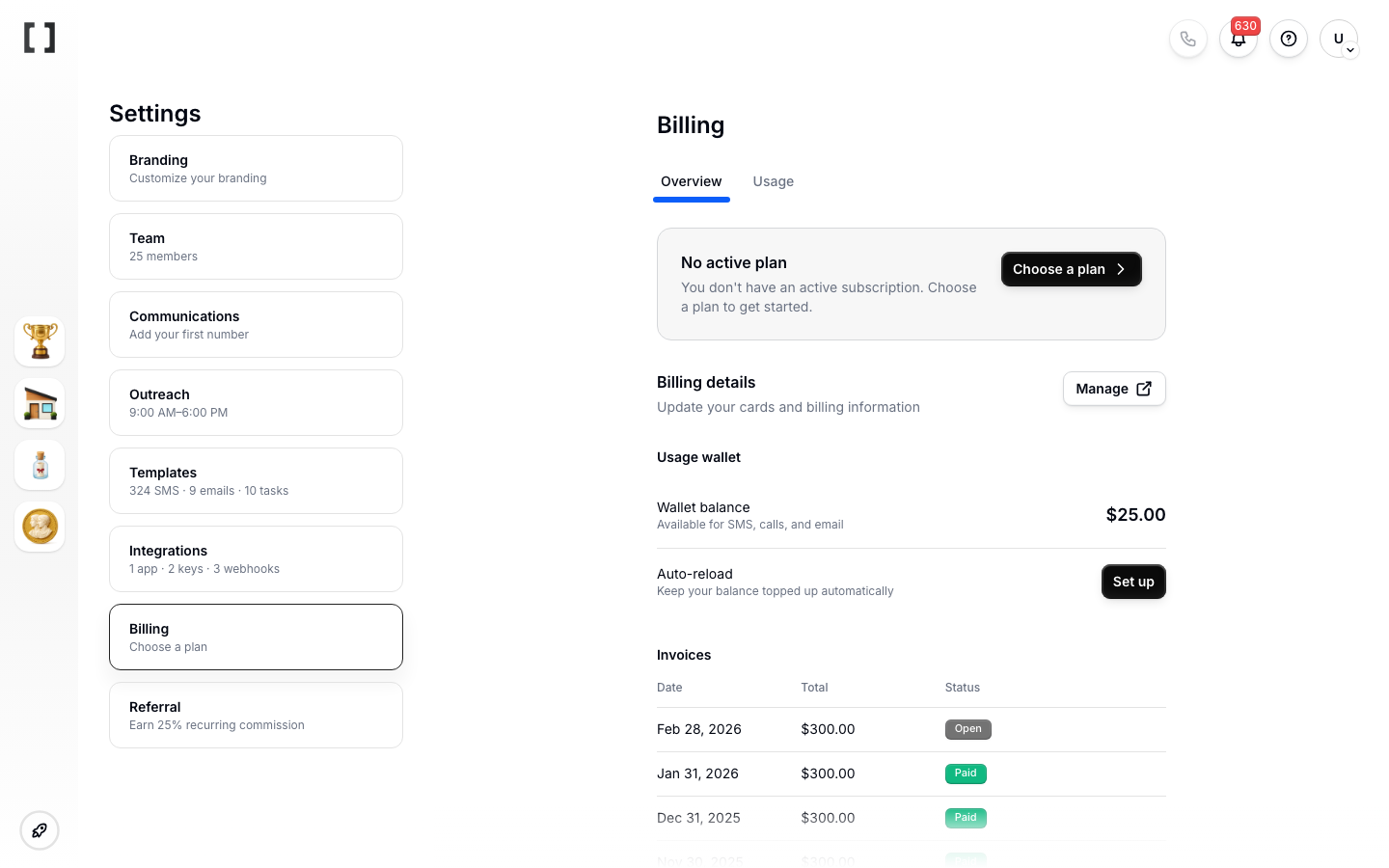
- Invoice date
- Description (what the charge was for)
- Amount
- Status — one of Paid, Open (issued, not yet paid), Void, or Draft
- A download link
Downloading
Click the download link next to any invoice to get a PDF. Invoice PDFs include:
- Your workspace's billing name and address
- Invoice number and date
- Line items
- Subtotal, taxes (if applicable), total
- Payment status
- Covent's business details for your finance team
Subscription vs. wallet charges
Both show up in Billing, but they represent different things:
- Subscription invoices are for your plan - a monthly or annual fee.
- Wallet invoices are for top-ups you made to fund communications usage.
If you need to see what your wallet was actually spent on (SMS / calls / email usage), that's a separate activity log at Settings > Usage. The invoice records the money in; the Usage log records the money out.
Updating your billing info
Your business name and address on invoices pull from Settings > Billing > Billing details. Update them there before year-end or before sending invoices to accounting.
Tax and receipts
Where applicable, taxes are itemized on each invoice. If you need tax IDs or different invoice formatting for your jurisdiction, contact support at help@getcovent.com.
Missing or incorrect invoices
If an invoice is missing or the amount doesn't match what you expect:
- Confirm it's not a wallet top-up vs. subscription mix-up.
- Check Settings > Usage for wallet spend inside the same period.
- If something still looks off, email help@getcovent.com with the date and amount. Support can reissue or correct invoices.
Taxes on invoices
Covent's listed prices are exclusive of tax. Where required by law, applicable taxes - U.S. state sales tax, or VAT/GST in some jurisdictions - are calculated and added to your invoice as separate line items. If your business is tax-exempt, send a valid exemption certificate to help@getcovent.com before the charge so we can apply it. Carrier regulatory surcharges (e.g. Universal Service Fund, E911) may also appear as pass-through line items.
Custom formatting and billing contact
Need a tax ID, PO number, or a specific company name on your invoices? Update Settings > Billing > Billing details, or email help@getcovent.com for the formatting your finance team requires.
How long invoices are kept
Your full invoice history stays available in Settings > Billing while your account is active, hosted by Stripe. We retain your enrollment and payment authorization records for at least three years, or one year after account termination, whichever is longer.